
Workflow Guides
Run a meaningful one-month SugarHR pilot
Use representative people and data to decide whether the workflow fits, with clear evidence for both success and unresolved conditions.
Before you start
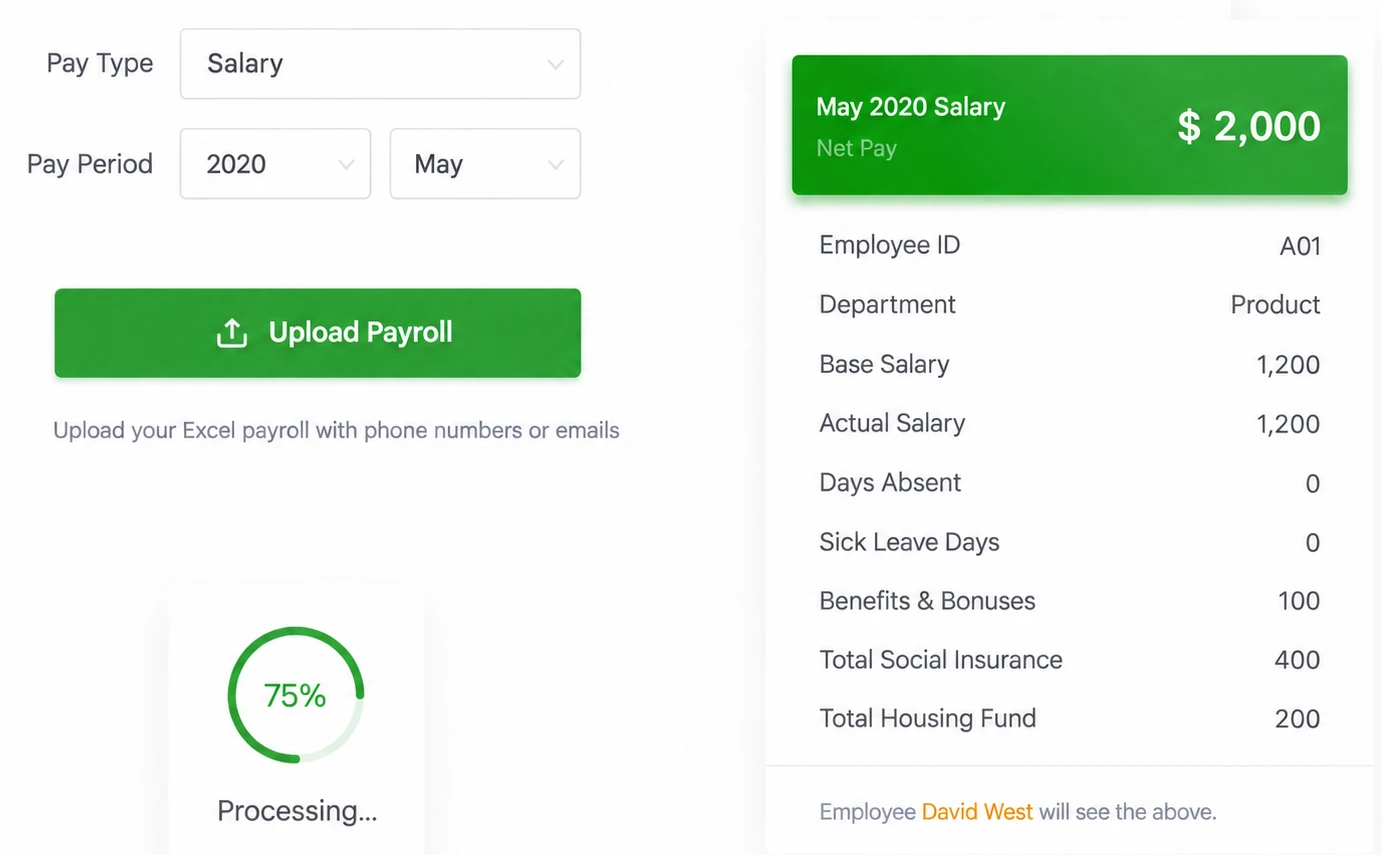
Identify the authorized account, the employer and pay period, and the person who owns the input data. Use controlled sample information for a first test. Check the current account and supported interface where a setting matters; supplied older images illustrate a workflow, not every available configuration.
Steps
-
Register through the official product signup route and confirm present trial conditions.
-
Prepare simulated or anonymized data retaining the real headers and relevant pay structures.
-
Assign the preparer, administrator, employee and finance roles to the people who will actually perform them.
-
Test receipt, review, acknowledgment, an error correction and retrieval of an inspectable record.
-
Include difficult conditions such as same names, limited digital confidence, unusual layouts or no reliable email.
-
Document fit, gaps and a go-live or further-test decision; recheck approved live data before leaving the old process.
Check the result
Document fit, gaps and a go-live or further-test decision; recheck approved live data before leaving the old process. Keep the observed result and any unresolved condition with the relevant account, period and record reference. A completed screen should not be used to claim a different event.
If something goes wrong
A phone-viewing demonstration cannot establish phone-only administration. A new trial period cannot resolve an untested complex sheet. If the team does not continue, check required record retrieval and current data-exit arrangements.
Explanations and checklists
- What should we test during the one-month free trial?
- Does mobile employee viewing mean administrators can edit and send from a phone?
- What if employees do not have a reliable email address?
- How should companies distinguish and hand over administrator access?
- What should we check before migrating from an old payslip workflow?
- How should we move from a sample to the first live payslip run?
- First-send and employee experience checklist
- One-month pilot evaluation scorecard
Start Your Free 1-Month Trial and verify this sequence with the people who will actually perform it.
Published by SugarHR Help Center. How we review guidance.
Start Your Free 1-Month Trial